Free
Freeforever
- Any 3 widgets, forever
- No account, no telemetry
- Yours. Full stop.
Live widgets rendered straight onto your wallpaper: clocks, weather, mail, cameras, your whole homelab. Behind your windows while you work, never stealing a click. It's there whenever you glance.
glancedock.exe · one native process · zero servers
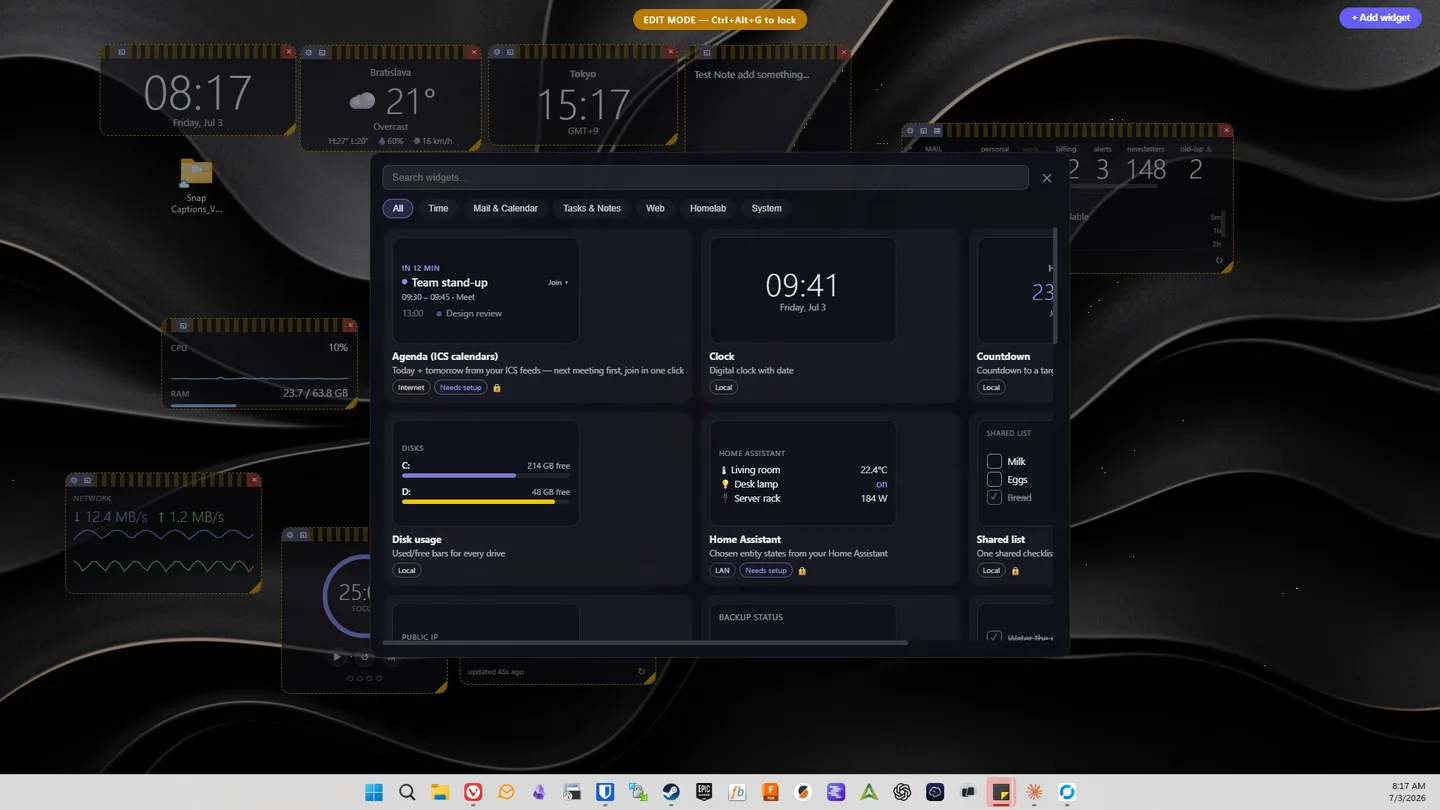
arrange once, glance forever: this is what GlanceDock feels like
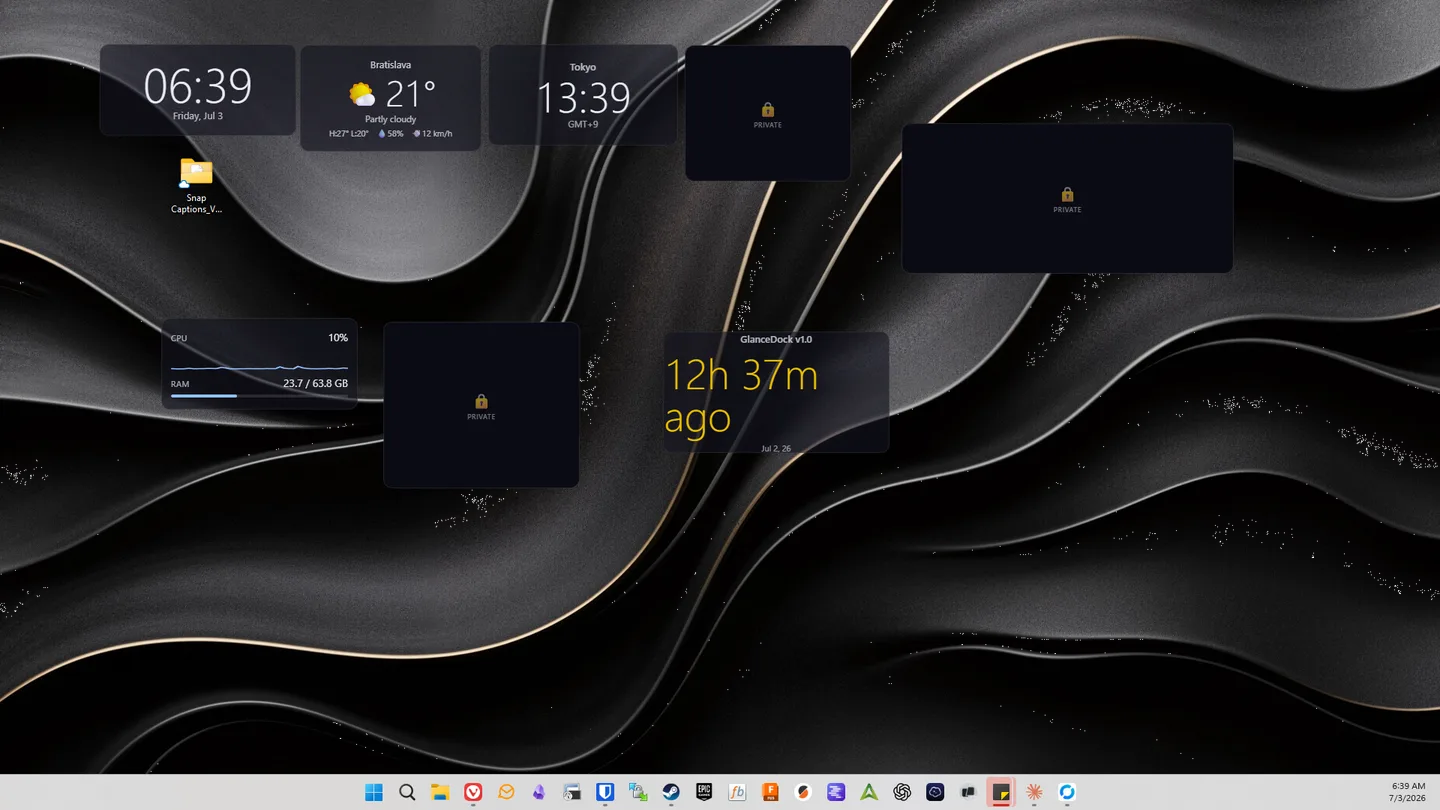
One keystroke hides mail, notes, and cameras: everything personal. Instantly.
No account required, no cloud sync, no telemetry. Widgets connect to the services you use: your mail server, your homelab, your weather. The app also checks GitHub for updates.
Mail passwords, API tokens, camera credentials go straight to Windows Credential Manager, never a plain-text config. The layout file on disk is provably secret-free.
Keys are checked on your machine without contacting a server. Website accounts are optional and can store a key for recovery; the app's license check works without them.
Two screenshots from a normal two-monitor Windows 11 desktop. No staging, no composite.
Current conditions from Open-Meteo, with city search and no API key.
Air quality, UV index, and a sunrise-to-sunset day arc.
A few quiet headlines from any feed.
The next public holiday and countdown for any of 150+ countries.
Recent quakes near you on a radar plot (USGS, keyless).
The Space Station live on a world map, orbit trail, and visible-pass predictions.
Live lightning strikes near you on a distance radar.
A comic, a quote, or a dad joke. Your small daily lift.
On-demand download / upload / ping, run against Cloudflare.
Expiry countdown for the domains you own.
Any three widgets, free forever. One payment unlocks unlimited, no subscription, ever.
Something else? The docs cover setup, licensing, and the offline license in depth.
Yes. GlanceDock is built natively for Windows 10/11 and uses WebView2 (which ships with current Windows).
There is no app telemetry, cloud sync, or account requirement, and license checks are offline. Widgets contact the services they use (your mail server, homelab, YouTube, etc.). Packaged builds also check GitHub for updates after startup and periodically.
In Windows Credential Manager, the OS's own encrypted vault, never in a plain-text config file. The layout file on disk is provably secret-free.
No. They're click-through by default; your clicks reach the desktop. Only the specific control you hover becomes interactive.
It plays the raw video/audio streams directly, which carry no injected ads. It uses the widely-used yt-dlp tool, which you can update in one click when YouTube changes.
Fully supported: a widget layer per display, and drag widgets between them.
Yes, free forever for up to 3 widget instances — any 3 widgets you like, since every widget type is included in the free tier. No account, no telemetry, no time limit. To go beyond three there is a single one-time payment: during the public beta a Founder license is $9, and it stays price-locked forever, covering every 1.x release and future major versions at that same $9. From version 1.0 the Standard license is $19. Keys are verified offline on your machine. The app never phones home to activate.
Free for any three widgets. No account. Installed in under a minute.